
PSI HD Well Head Gas Calibration Update
PSI has launched an innovative “PSI Field Programmer” software designed to allow an ECM calibration update on products in OEM Factories or the field. This software tool eliminates the necessity for direct PSI intervention via remote access. This upgrade streamlines the calibration process, offering a more autonomous and efficient solution for calibration updates.
The launch of PSI’s field programmer software is strategically aligned with the introduction of new wellhead gas (WHG) calibrations for select PSI 21.9L engines. This synchronization ensures that OEMs or end users wishing to upgrade their engine control modules (ECM) with the latest WHG calibrations can do so seamlessly and efficiently, leveraging the convenience and flexibility of the new software solution.
Wellhead Gas Calibration Update Process
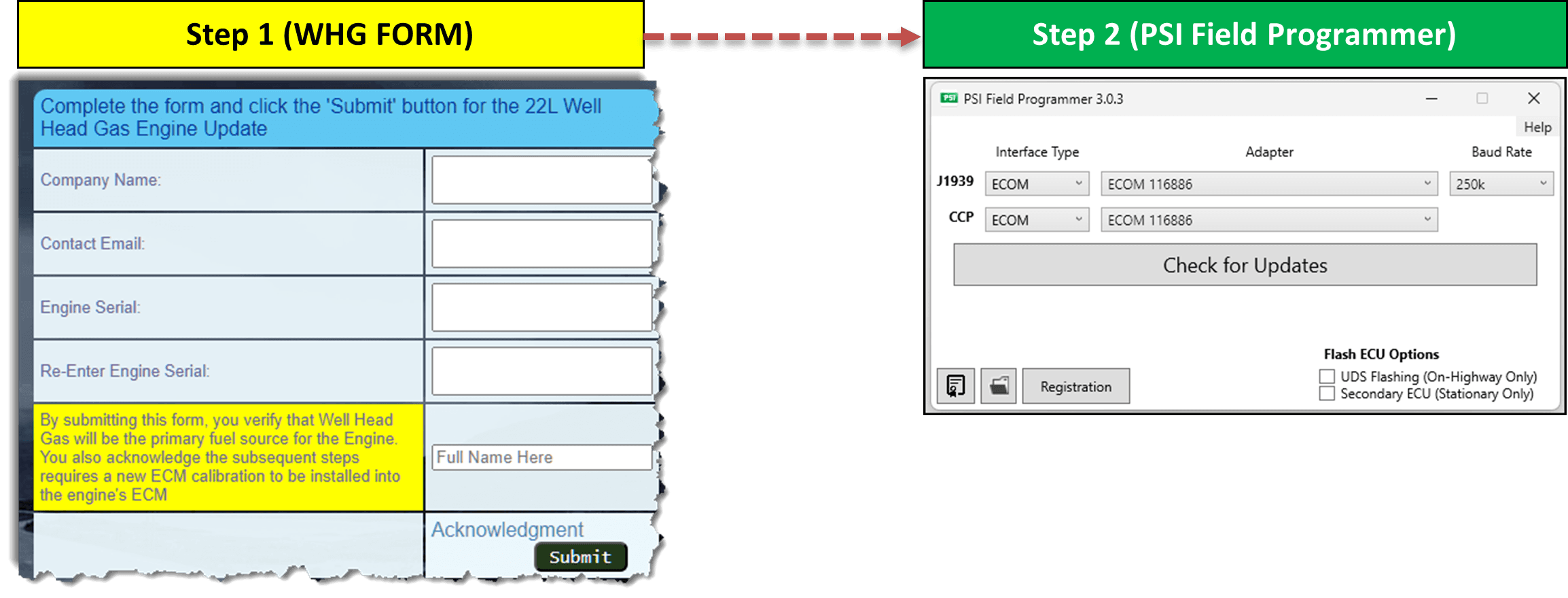
The process includes two (2) steps
- Fill out the Wellhead Gas Form for each engine serial number you would like to update
- Use the PSI Field Programmer Software to update the ECM
Software Installation and Training Video
Watch this helpful video to learn how to download and install the PSI Field Programmer Software.
Also learn the process and procedure required to use the software to update the ECM Calibration.
Process Overview
- Download PSI Field Programmer Software
- Install PSI Field Programmer Software
- Register PSI Field Programmer Software
- Submit engine serial numbers to PSI using the WHG Form
- Program ECM’s using PSI Field Programmer Software